Cross-Origin Resource Sharing (CORS)
Explained for Developers - Secure Data Transfer
I'm Subhodip, a 3rd-year Computer Sciences and Engineering student with a strong academic record (CGPA 9.5) and valuable experience interning as a Full Stack Engineer and Software Engineer. I've worked on various projects utilizing technologies such as Node.js, React.js, Express.js, MongoDB, AWS, and GraphQL. My passion is to work on the latest technologies and build innovative solutions. I am an enthusiastic applicant who is excited to contribute my skills and experience to the success of a company whose vision aligns with mine.
What is CORS?
CORS is a security feature in web browsers that allows servers to specify which domains are allowed to make requests to them, ensuring the secure transfer of data between different domains.
Why is CORS Important?
By default, JavaScript running on a web page is not allowed to make requests to a different domain than the one it came from. Therefore, CORS is important to allow cross-domain resource sharing while maintaining security.
How does CORS Work?
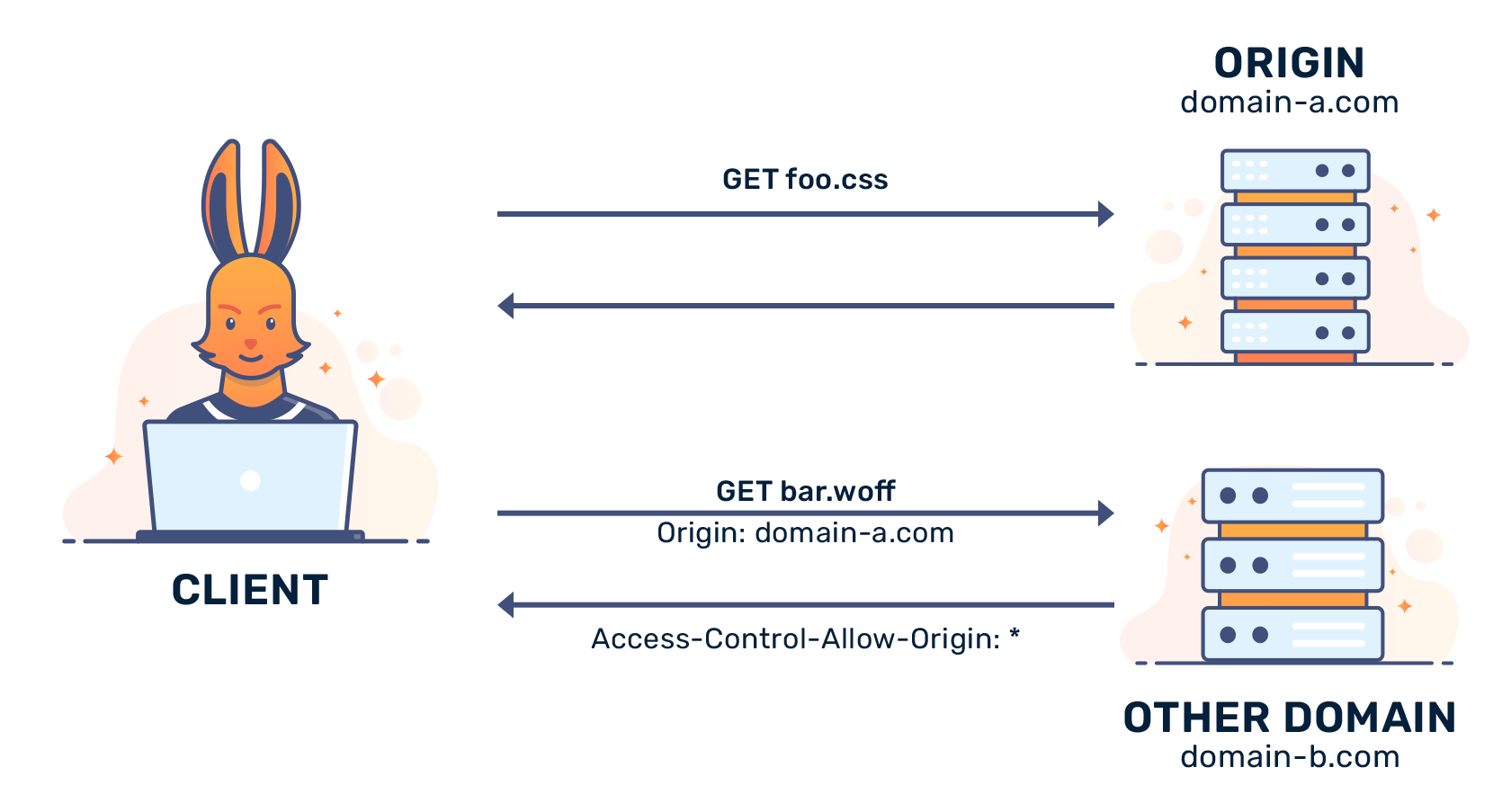
When a browser wants to access a resource from a different domain, it sends a pre-flight request to the domain server using the OPTIONS method to check if the cross-origin request is allowed. If the domain server allows the request, the browser sends a second request with the actual method specified in the original request, and the domain server provides the requested data.
How to Configure CORS?
To configure CORS, you need to set the Access-Control-Allow-Origin header in the response from the domain server to indicate which domains are allowed to access the resource. You can also set additional headers like Access-Control-Allow-Methods and Access-Control-Allow-Headers to specify which HTTP methods and headers are allowed.